Introduction: The AWS EC2 Dilemma
Amazon Web Services (AWS) Elastic Compute Cloud (EC2) remains one of the most trusted compute platforms in the world. Millions of businesses run their critical workloads on EC2 instances, from startups processing their first customer transactions to enterprises handling petabytes of data daily. The reliability, global reach, and deep feature set of EC2 are practically unmatched.
Yet a persistent frustration remains: while EC2 provides powerful infrastructure, turning it into a deployment-ready platform that your development team can actually use---with CI/CD pipelines, environment management, and a consistent workflow---has traditionally required significant DevOps expertise. You have to stitch together tools, write and maintain configuration scripts, and build your own deployment layer on top of raw compute.
This article shows you how PipeOps' Bring Your Own Server (BYOS) feature solves exactly that problem, letting you take any EC2 instance you already own or newly provision, and in minutes, turn it into a fully managed, deployment-ready server inside PipeOps.
What is PipeOps BYOS?
Bring Your Own Server (BYOS) is a PipeOps feature launched in March 2026 that enables organisations to connect any virtual machine or bare-metal server, from any cloud provider, directly into the PipeOps platform. Once connected, that server becomes a first-class deployment target with built-in CI/CD, environment management, and a unified console experience.
What Is AWS EC2 and Why Do Teams Already Use It?
EC2 (Elastic Compute Cloud) provides resizable virtual servers---known as instances---in the AWS Cloud. Organisations choose EC2 for several strong reasons:
-
Proven reliability with a global network of availability zones and regions
-
Extensive instance types (from t3.micro for lightweight tasks to p4d.24xlarge for GPU-intensive workloads)
-
Deep integration with the broader AWS ecosystem: S3, RDS, VPC, IAM, CloudWatch, and more
-
Access to AWS credits for startups and enterprise discount programs
-
Compliance certifications covering healthcare, finance, government, and more
However, EC2 by itself offers only low-level infrastructure. It does not come pre-packaged with a deployment pipeline. Teams must configure their own CI/CD, manage server access, handle environment variables, and deal with the operational overhead of keeping deployments consistent across development, staging, and production. For many organisations, this is where the value of EC2 starts to get eroded by engineering time spent on operations rather than product.
Why Connect Your EC2 Instance to PipeOps?
PipeOps was built to abstract the complexities of cloud deployment and DevOps operations. With BYOS, that same abstraction layer now extends to any EC2 instance you already own or manage, giving your team the polished deployment experience of a managed platform, without giving up the infrastructure choice and cost structure of EC2.
For organisations with existing AWS commitments, reserved instances, savings plans, or enterprise agreements. BYOS means you can honour those financial commitments while immediately improving your team's deployment workflow. You are not migrating away from EC2; you are making your EC2 investment significantly more productive.
Prerequisites Before You Begin
Before connecting your EC2 instance to PipeOps, ensure the following are in place:
-
An active PipeOps account (sign up at pipeops.io if you do not have one)
-
An AWS account with permissions to create and configure EC2 instances
-
An EC2 instance running Ubuntu 20.04 LTS or Ubuntu 22.04 LTS (recommended)
-
Minimum instance specifications: 2 vCPUs, 4 GB RAM, 20 GB disk storage
-
Root or sudo access on the instance
Step-by-Step: Connecting Your EC2 Instance to PipeOps via BYOS
Step 1: Log into the PipeOps Console
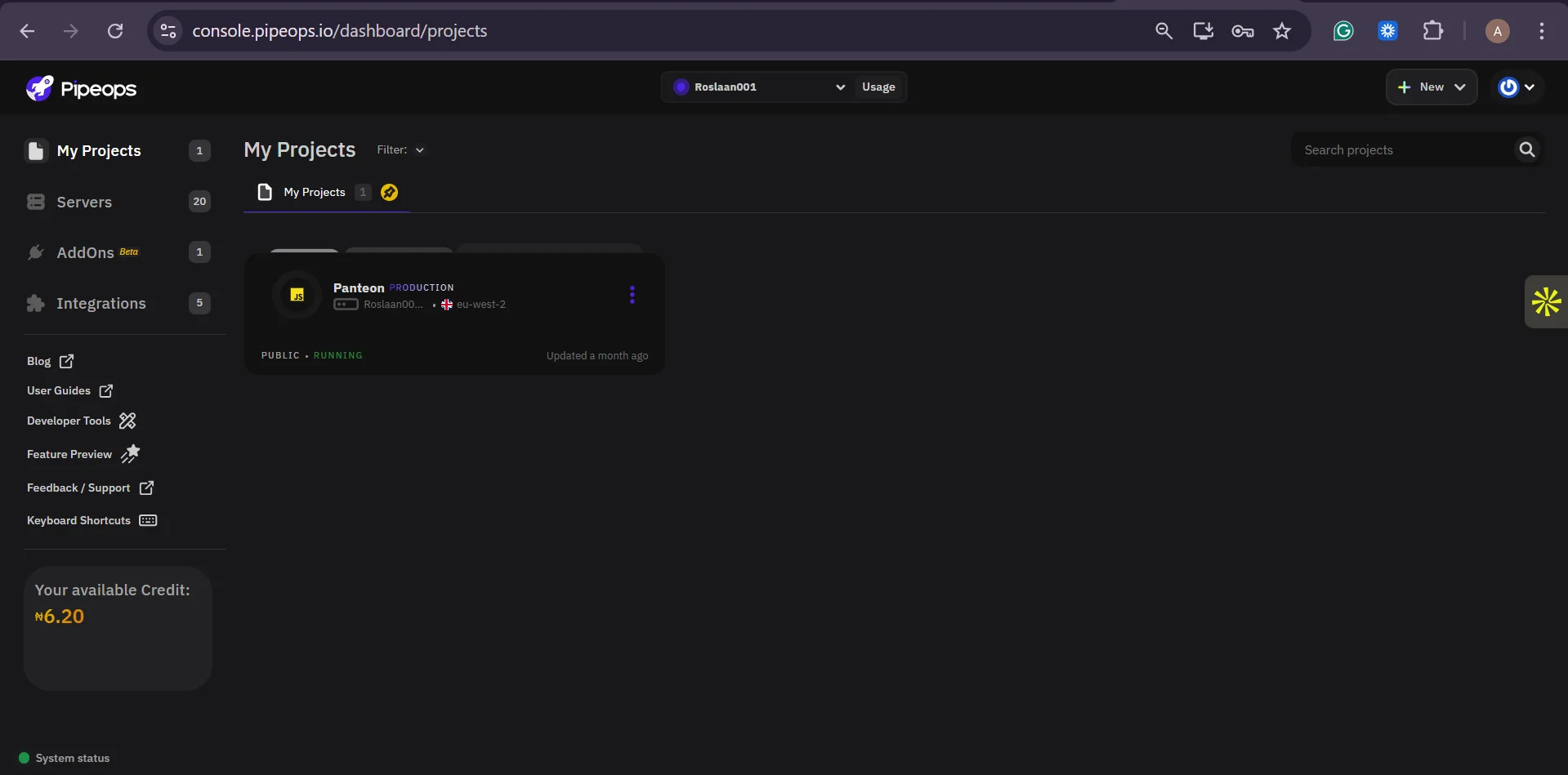
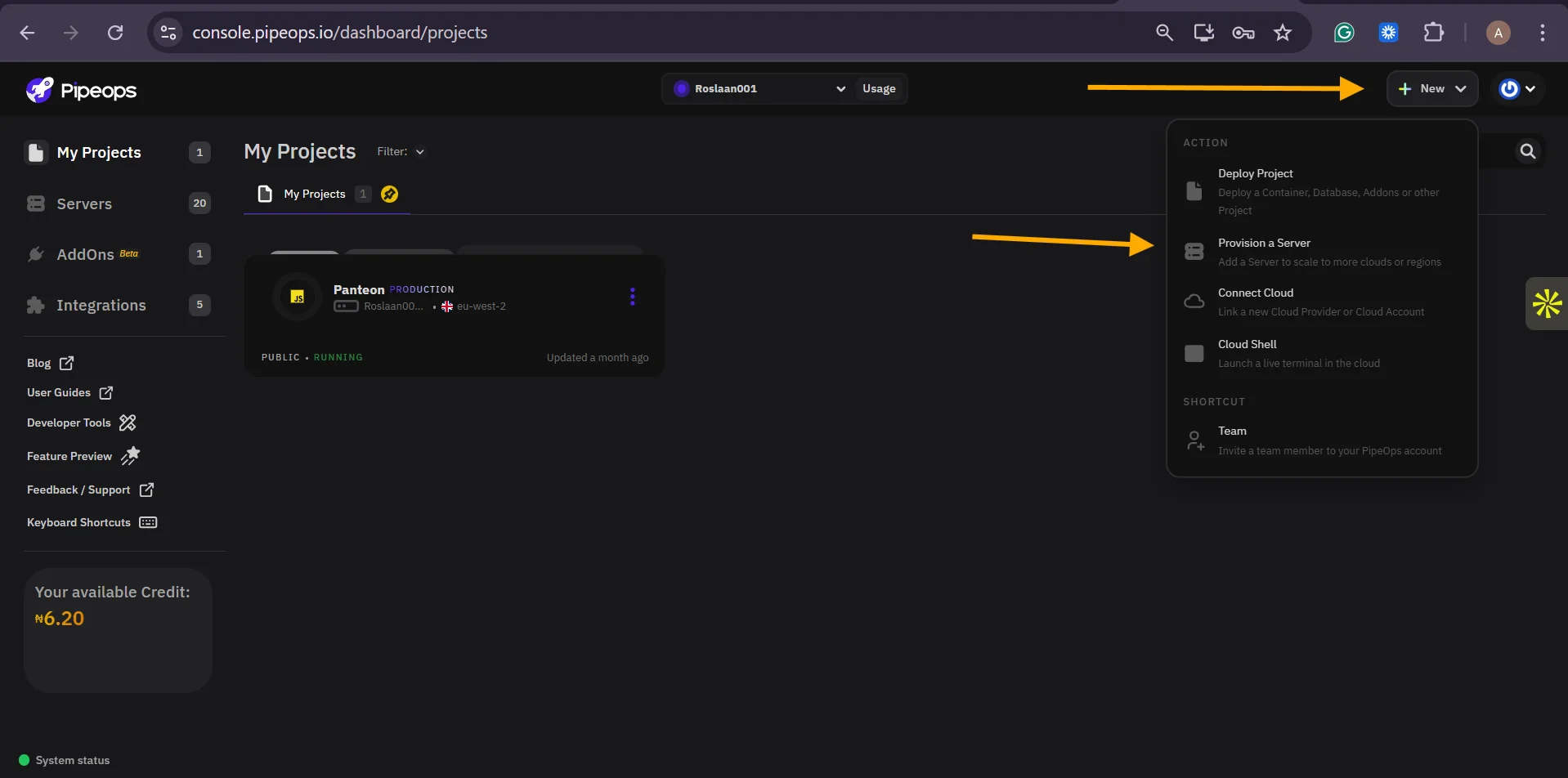
Navigate to console.pipeops.io and sign in to your account. From the main dashboard, locate the Servers section in the right navigation panel. Click on 'Provision a Server' to begin the BYOS onboarding flow.
Step 2: Select 'Bring Your Own Server'
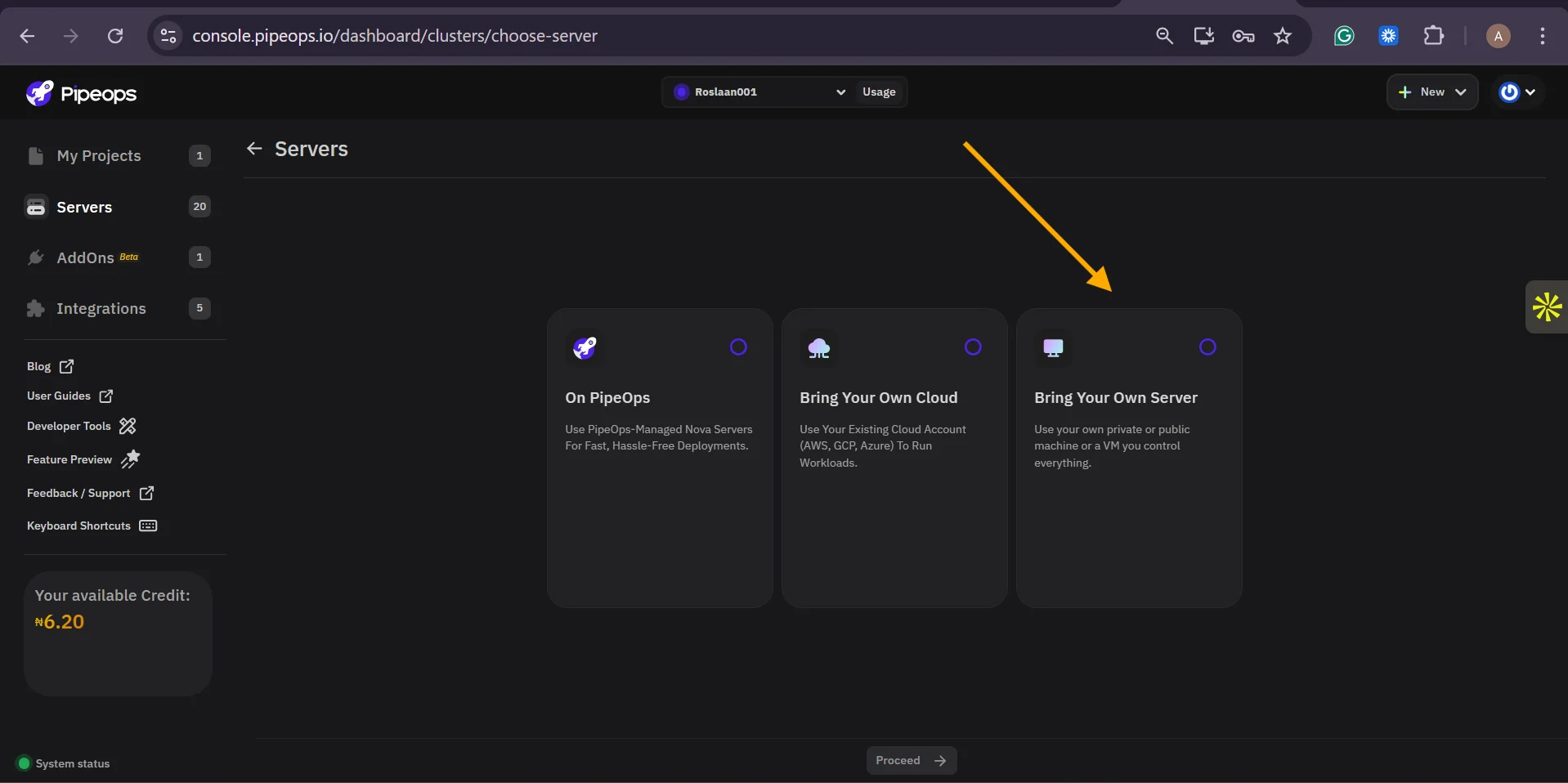
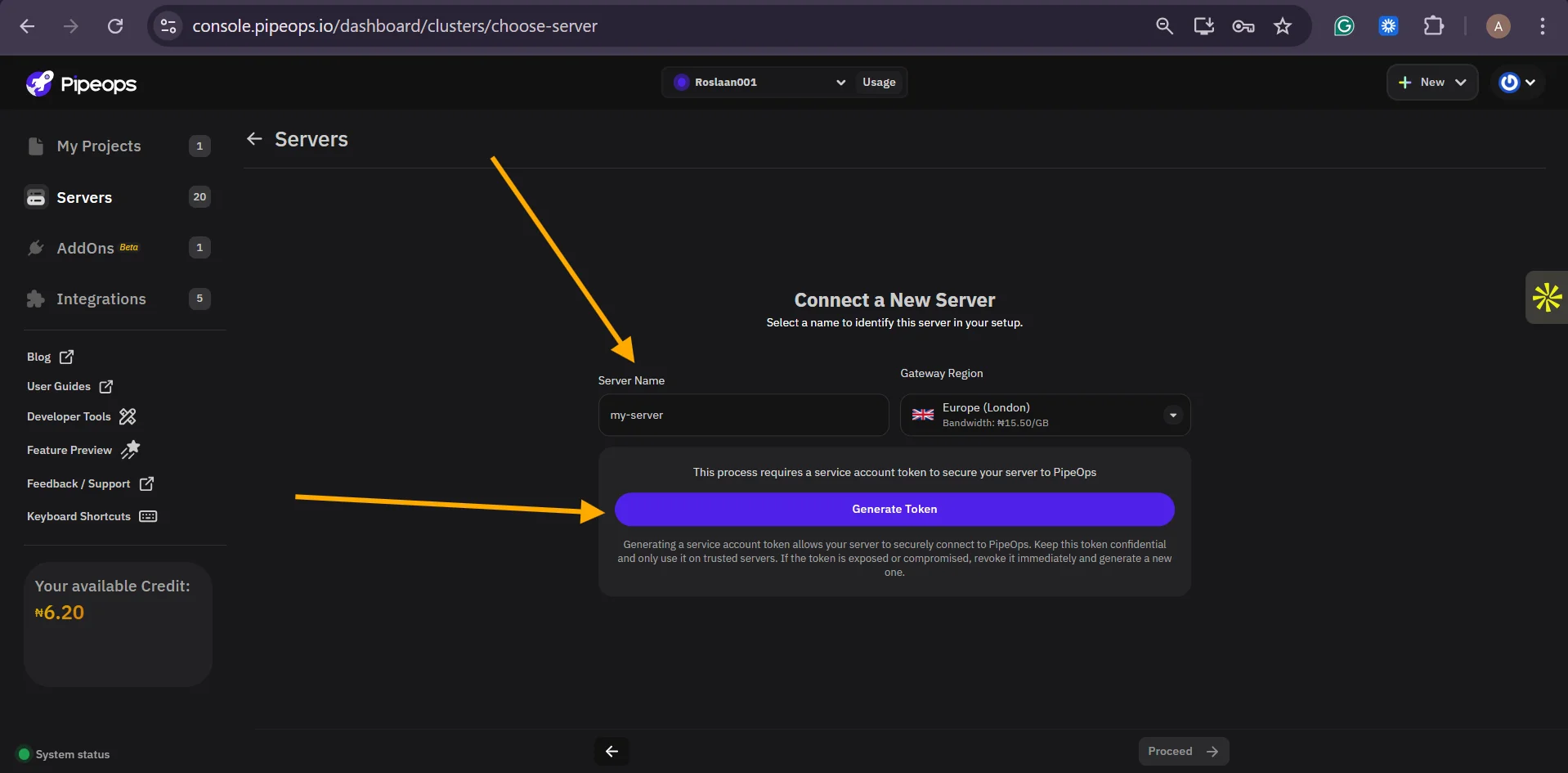
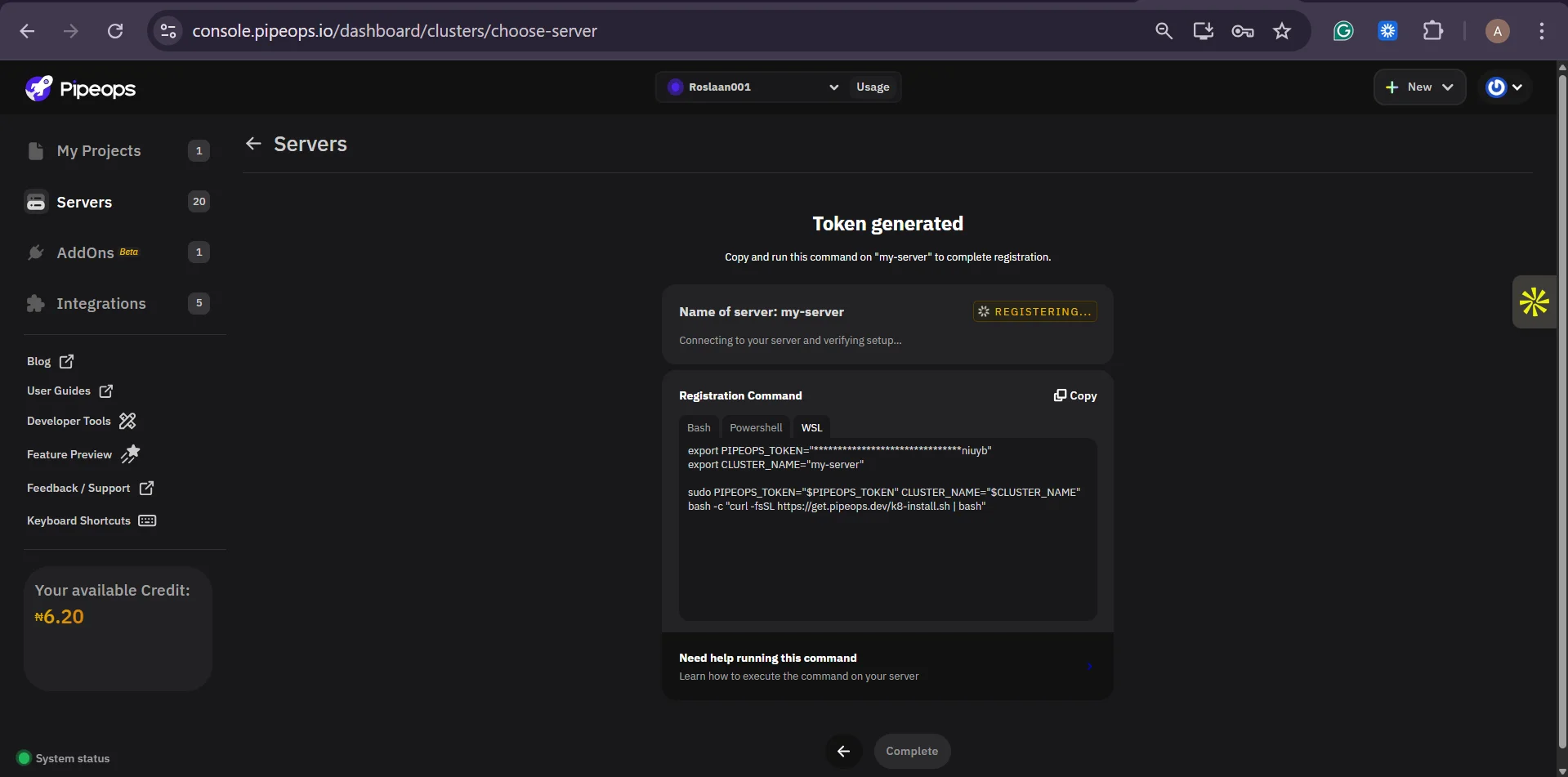
PipeOps will present you with options for connecting infrastructure. Select 'Bring Your Own Server (BYOS)'. You can optionally label the server type as AWS EC2 or make the name the same as the name of your EC2 instance for organisational clarity within your PipeOps dashboard. Click on generate token to generate your server token and keep it safe.
Step 3: Launch and Configure Your EC2 Instance
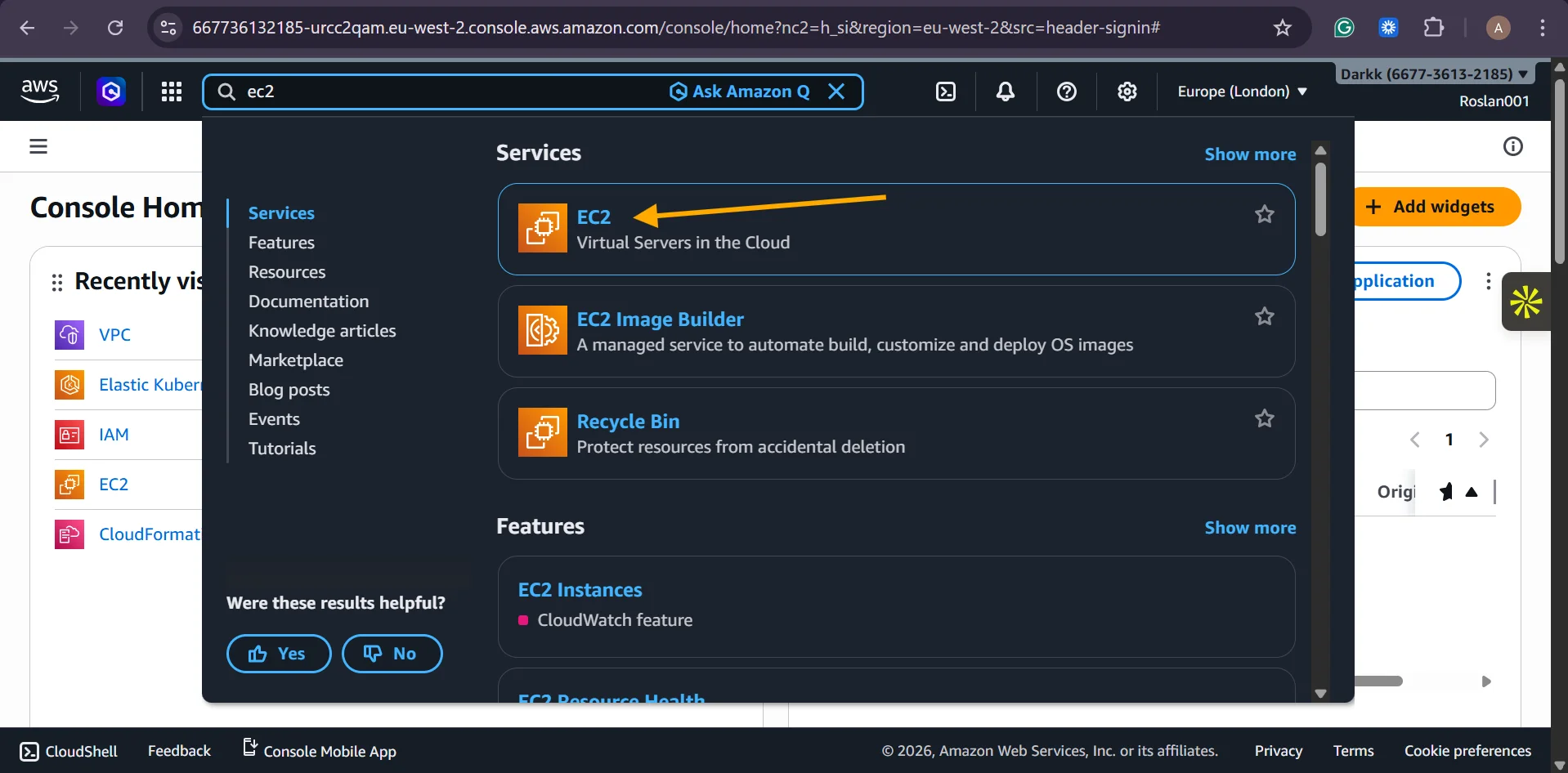
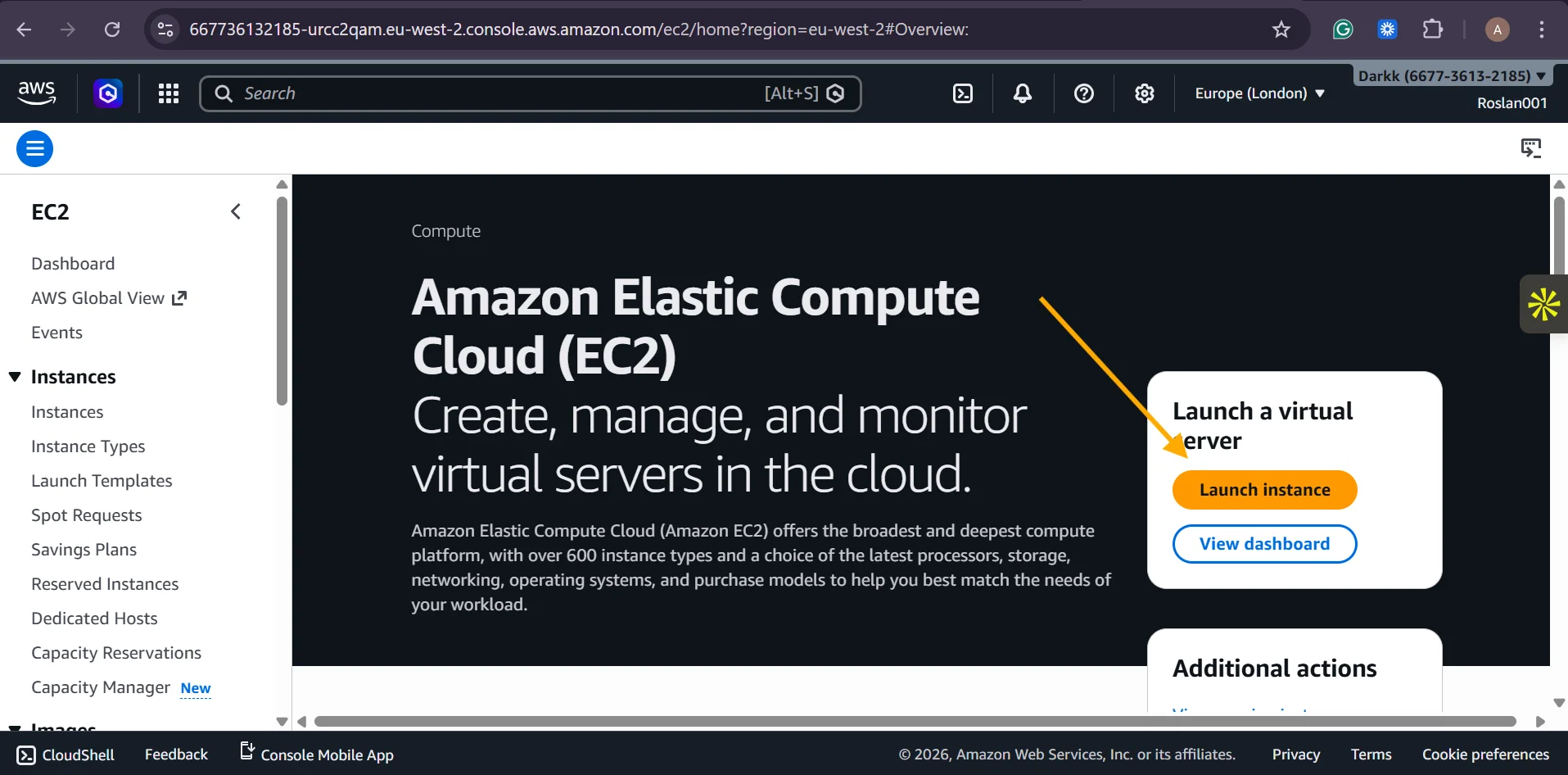
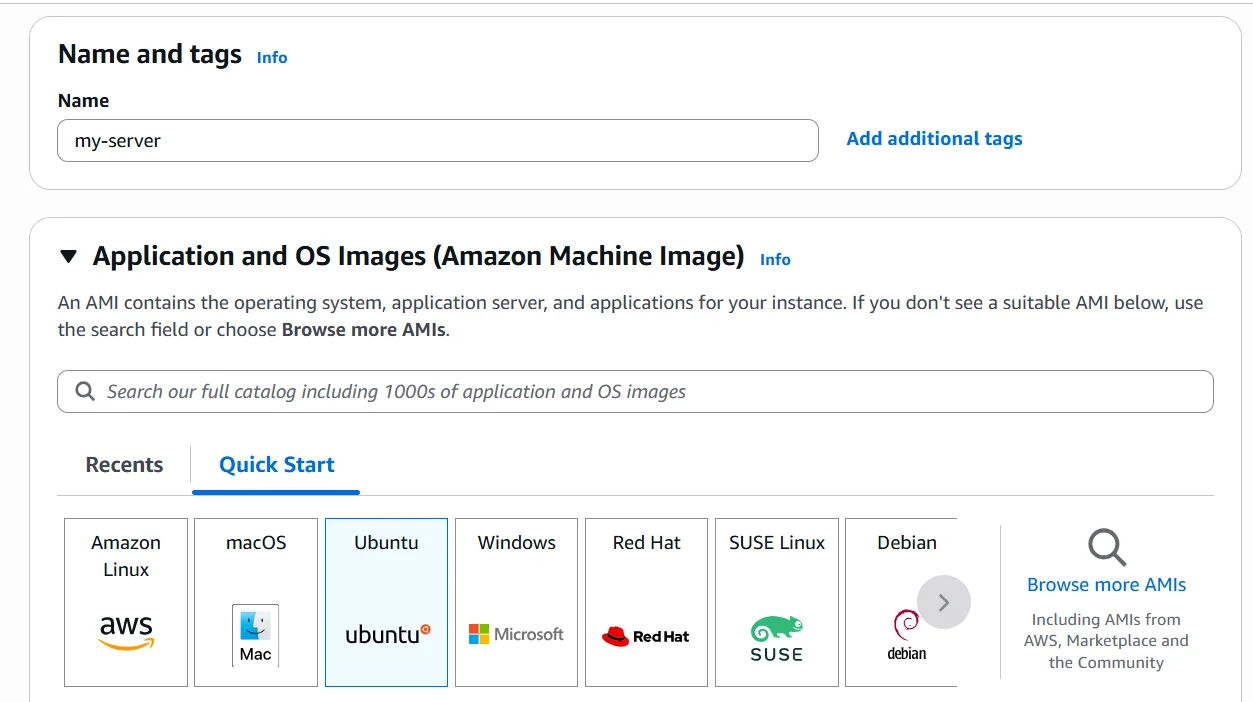
Log in to the AWS Management Console and navigate to EC2. Launch a new instance or identify an existing one you want to connect. Select Ubuntu 22.04 LTS as your Amazon Machine Image (AMI). Choose your instance type based on your workload. A t3.medium (2 vCPUs, 4 GB RAM) is a solid starting point for most web applications.
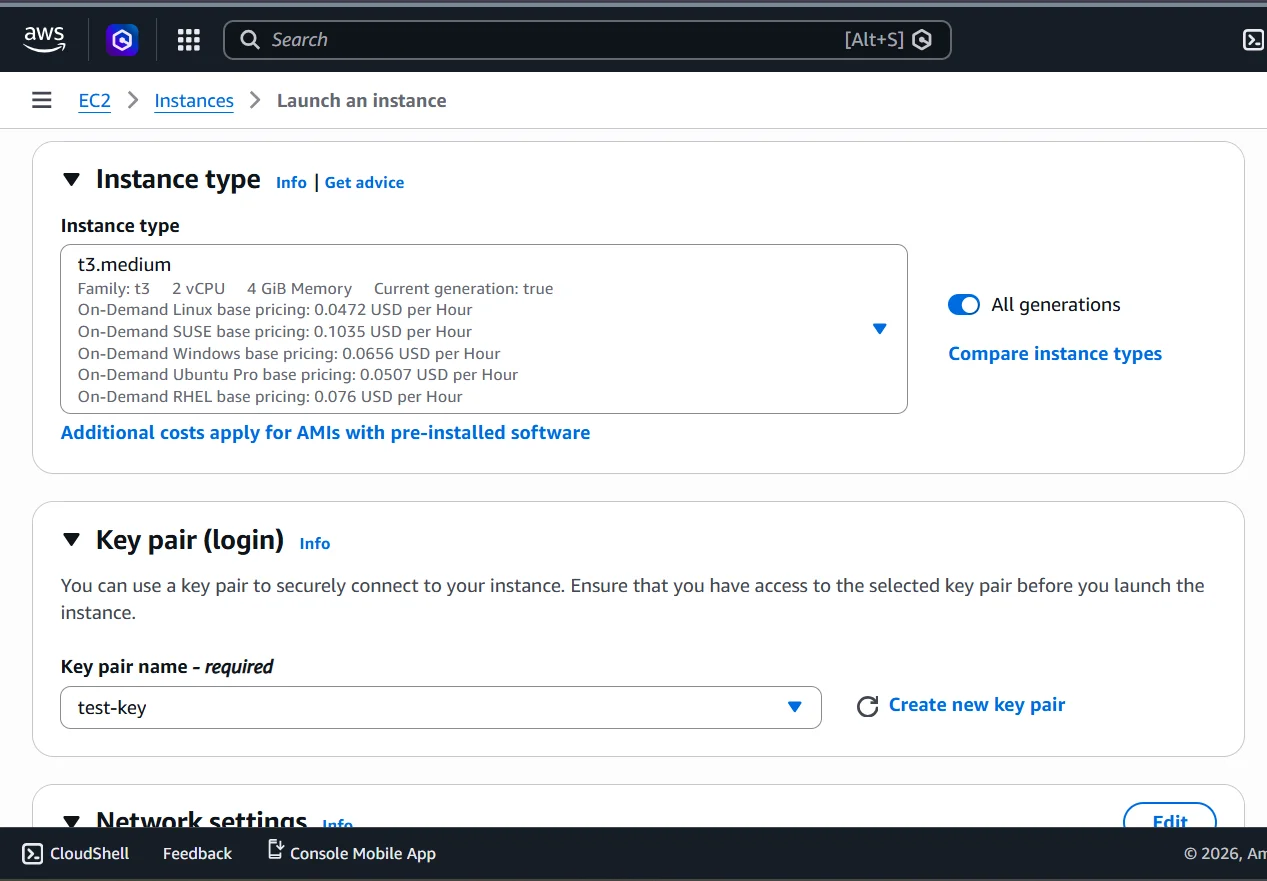
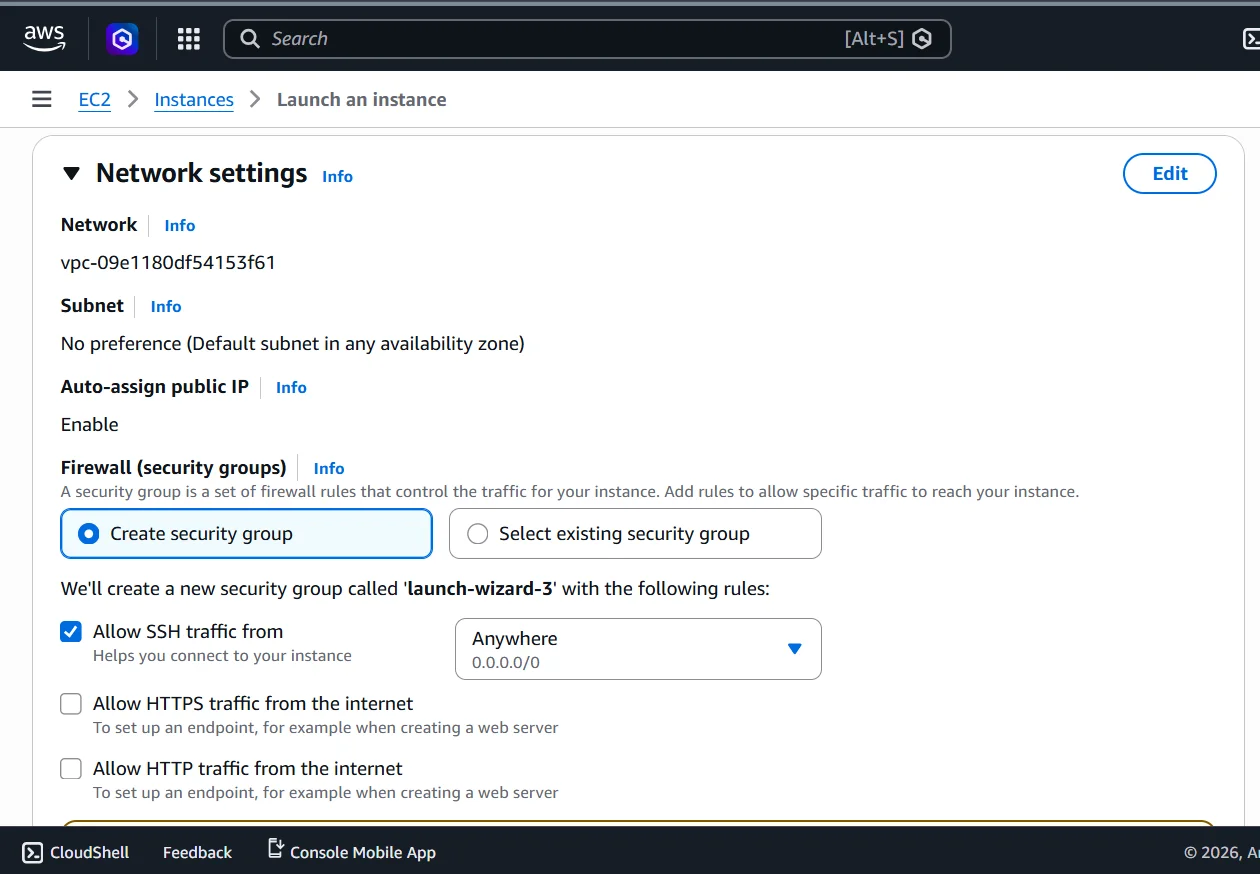
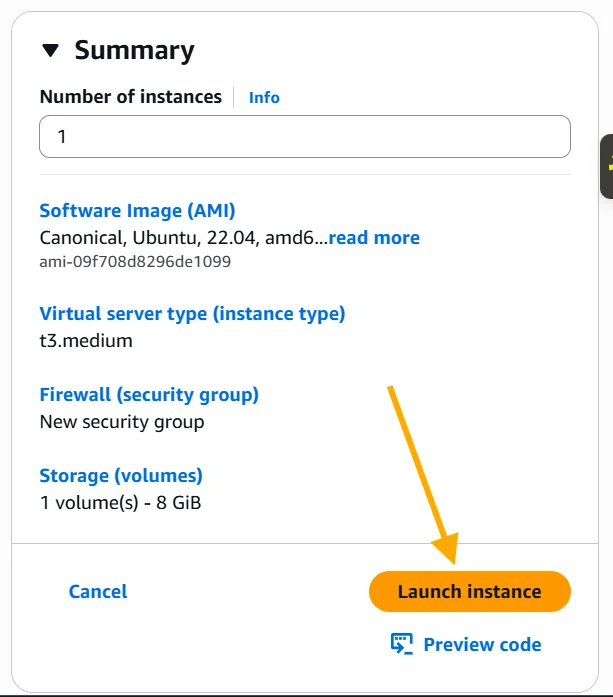
Step 4: Run the PipeOps Installation Script on Your EC2 Instance
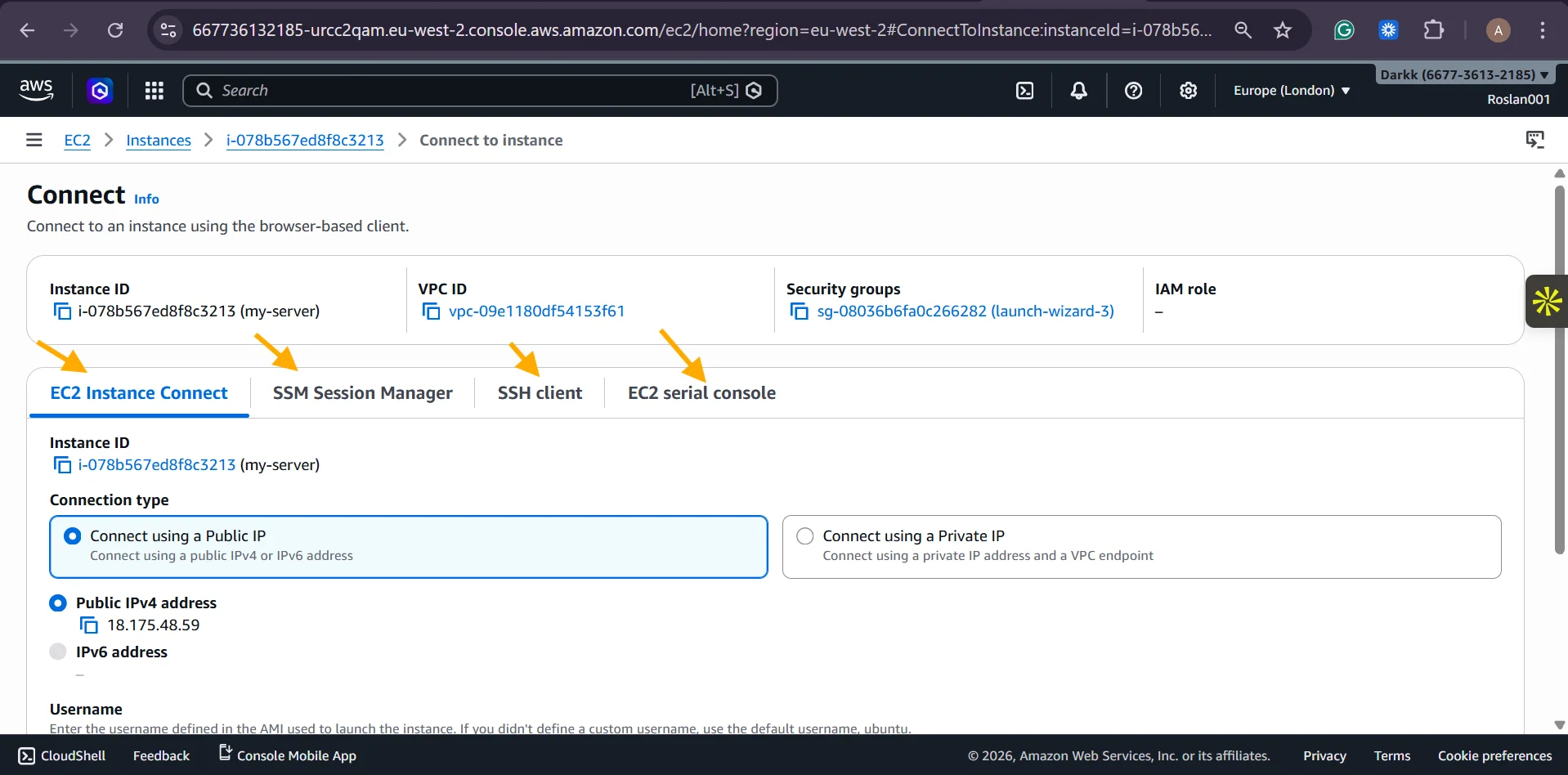
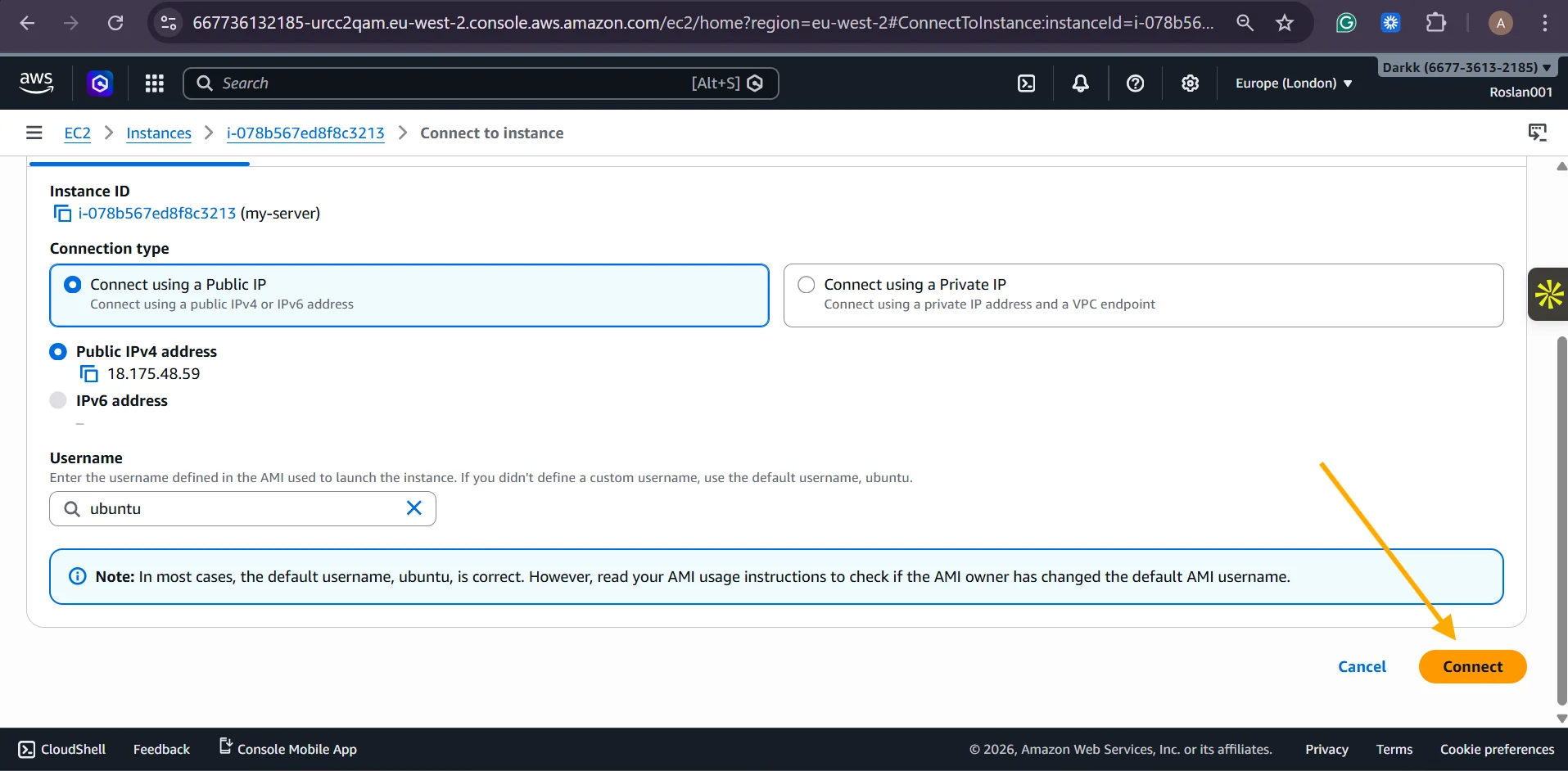
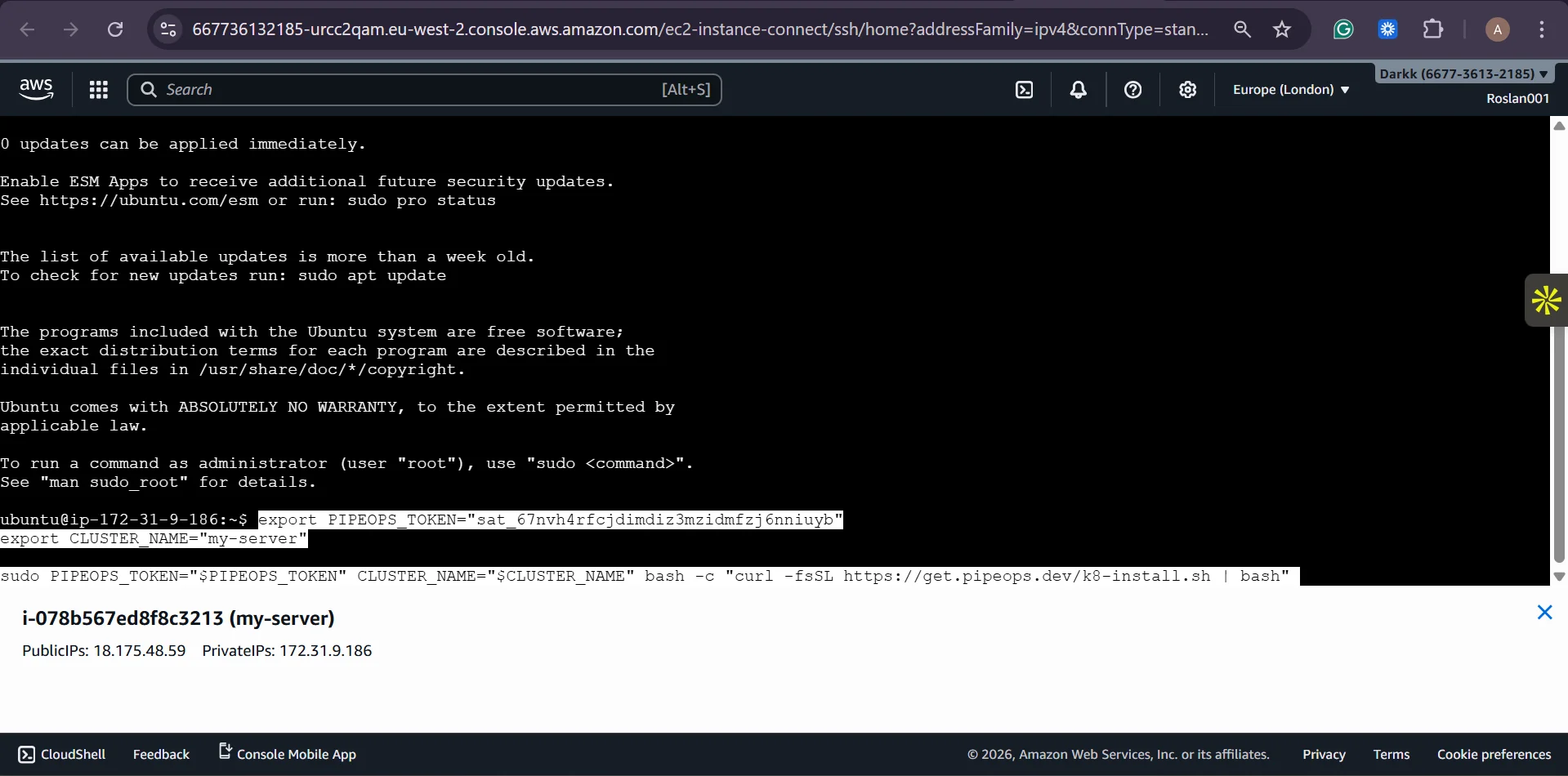
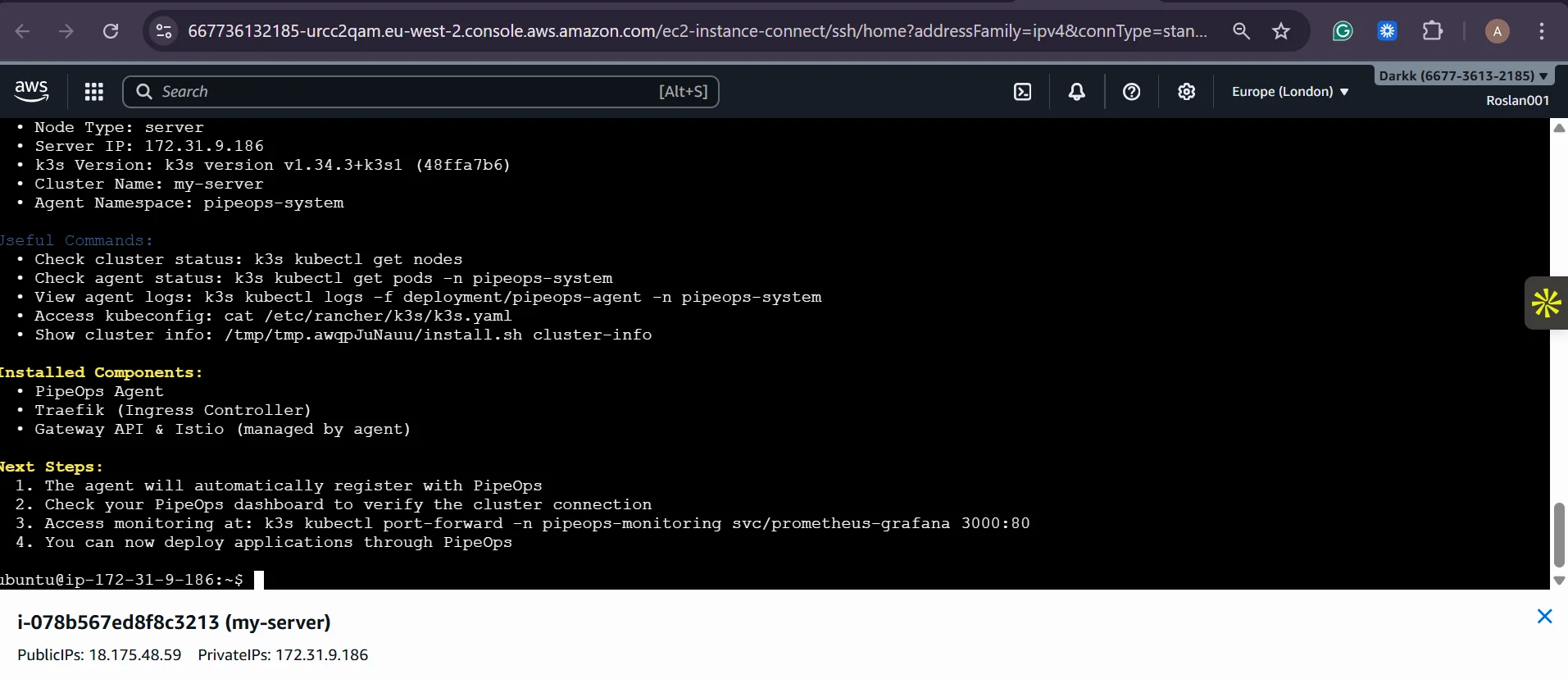
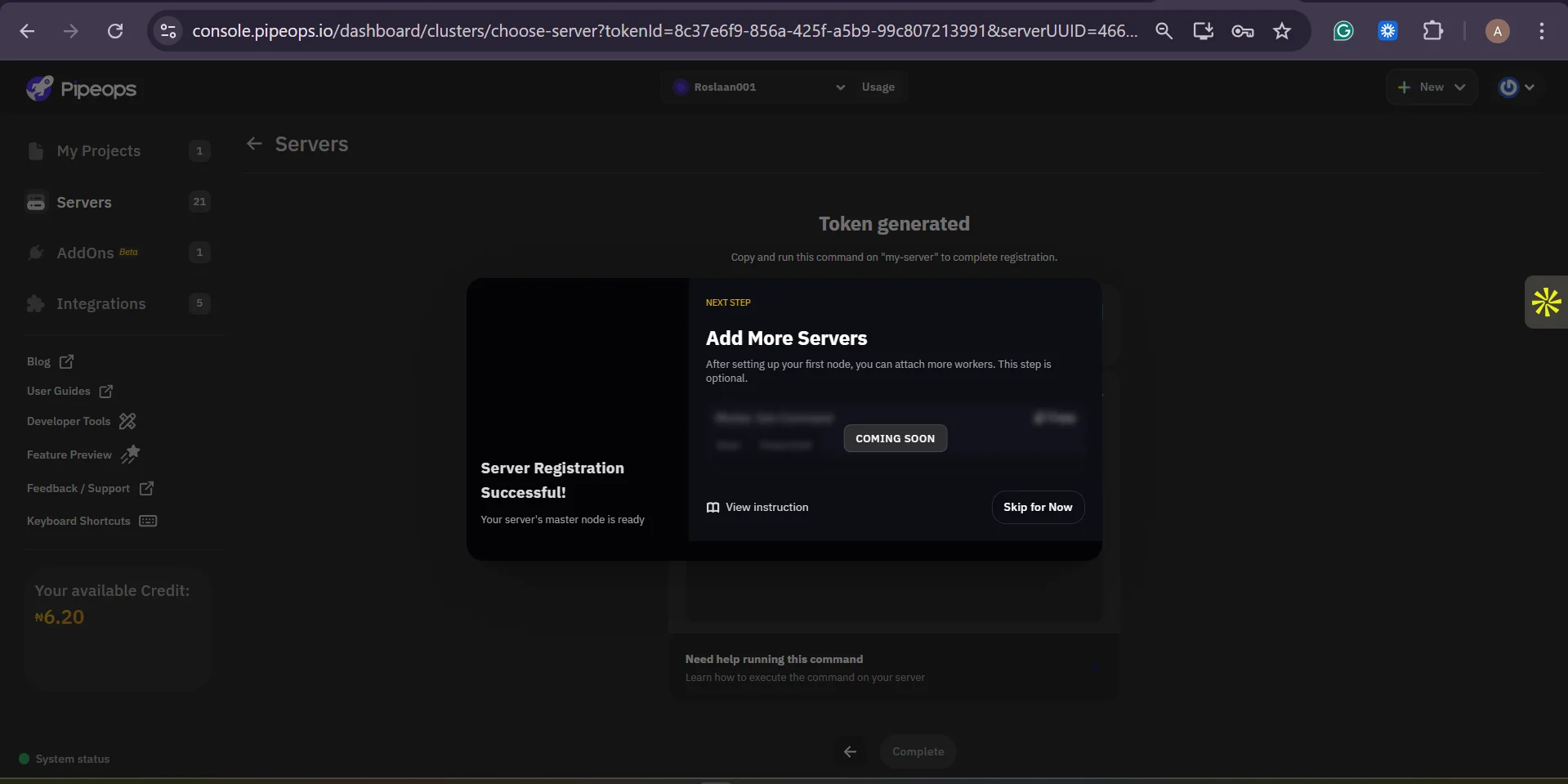
Copy the generated unique installation script for your server. Copy this script. You can connect to the server using SSH( your key pair: ssh -i your-key.pem ubuntu@your-ec2-public-ip) or use the EC2 instance connect to have the in browser ssh to your server, or the SSM manager, or the EC2 Serial Console. Paste and execute the installation script with sudo privileges. The script installs the PipeOps agent and all required dependencies, establishes a secure connection between your instance and the PipeOps control plane, and registers the server in your PipeOps dashboard.
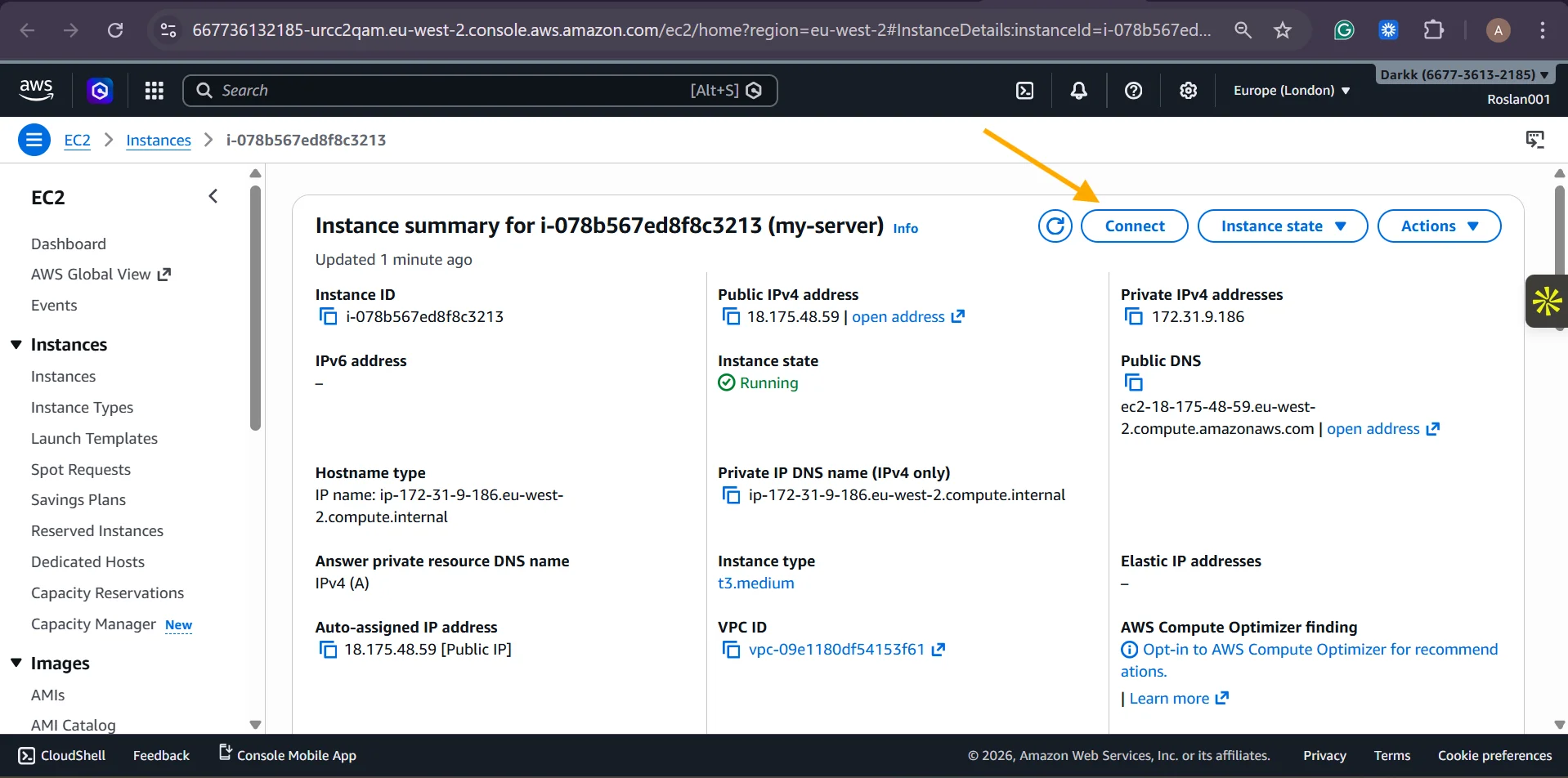
Step 5: Verify the Connection in the PipeOps Dashboard
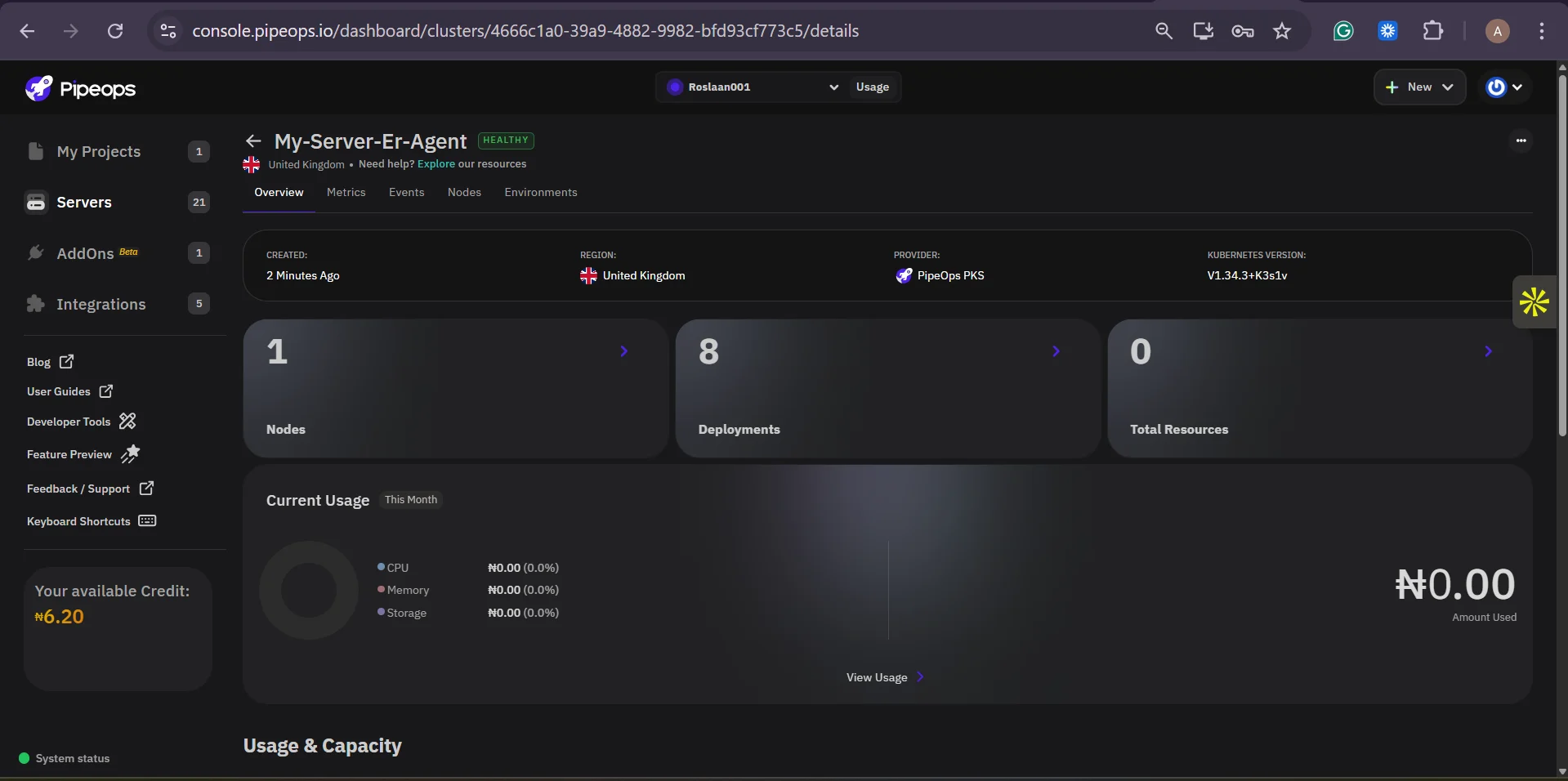
Return to your PipeOps console. Within a few minutes, your EC2 instance will appear as an online, deployment-ready server in your Servers list. You will see server health metrics, resource utilisation, and connection status,all directly within PipeOps. Your EC2 instance is now fully integrated.

Step 6: Deploy Your First Project
With the server connected, navigate to Projects in PipeOps and create a new project. Connect your Git repository (GitHub, GitLab, or Bitbucket). Select your newly added EC2 instance as the server. Configure your build settings, environment variables, and deployment preferences. PipeOps will handle the rest, from building your application via its integrated CI/CD pipeline and deploying it to your EC2 instance automatically on every push to your chosen branch.
Key Benefits of Running EC2 with PipeOps BYOS
| Benefit | What This Means for Your Business |
|---|---|
| Maximise AWS Investment | Use your existing reserved instances, savings plans, or enterprise agreements without restructuring your infrastructure. Every dollar already committed to AWS continues to work. |
| Instant CI/CD | PipeOps automatically sets up CI/CD pipelines connected to your repository. Developers push code, and it deploys,no pipeline configuration required from your team. |
| Unified Console | Manage all deployments, environments, and servers from a single PipeOps dashboard regardless of which provider or region your EC2 instances are in. |
| No DevOps Overhead | Eliminate the need to hire or task DevOps engineers with maintaining the deployment infrastructure. PipeOps handles operational complexity so your engineers can focus on building products. |
| Vendor Flexibility | Because PipeOps works as the management layer, you can mix EC2 instances with servers from other providers in the same workflow without rebuilding your deployment process. |
| Sovereign Control | Your data and workloads remain on your EC2 instances in your chosen AWS region. PipeOps orchestrates deployments but does not host your applications, giving you full data sovereignty. |
The FinOps Perspective: Making EC2 Work Harder
One of the most overlooked aspects of EC2 cost optimisation is operational inefficiency , teams that spend engineering hours managing deployment pipelines instead of shipping features. PipeOps eliminates this hidden cost entirely.
For organisations with AWS credits (through programs like AWS Activate for startups or enterprise negotiated credits), BYOS enables you to route those credits directly to compute, whilst PipeOps handles everything above the infrastructure layer. This is a materially different cost model than paying for a managed hosting platform where the provider's margin is embedded in every compute dollar.
Additionally, because PipeOps is provider-agnostic, you can use AWS EC2 where it makes sense for globally distributed workloads, compliance-sensitive data, or GPU-intensive tasks, and connect to cheaper alternatives for other workloads, all managed from the same console.
Decision-Maker Summary
If your organisation already has EC2 instances or AWS commitments, PipeOps BYOS is the fastest path to turning that infrastructure into a fully productive deployment platform. Setup takes less than 30 minutes. The result is a team that ships faster, infrastructure that costs less to operate, and a deployment workflow that scales with your business.
Conclusion
AWS EC2 is an exceptional compute infrastructure. PipeOps BYOS is the operational layer that makes it as easy to deploy to as the most polished managed platforms, without the premium pricing or loss of control that comes with those alternatives.
By connecting your EC2 instances to PipeOps, you get the best of both worlds: AWS-grade infrastructure reliability and global reach, paired with PipeOps' streamlined deployment experience. Your engineering team gains a professional-grade CI/CD and deployment workflow. Your finance team gains predictable infrastructure costs. And your business gains the freedom to evolve your infrastructure strategy without disrupting how you ship software.
Ready to get started? Sign up at pipeops.io and connect your first EC2 instance in less than 30 minutes.