The Observability Tax is what it costs to monitor a modern application in production, even one with only two or three core services. You deploy your services and the tool setup starts. You use Datadog agents to track server metrics, Prometheus to collect container performance, Loki or CloudWatch to gather logs, and custom Grafana dashboards to tie it all together. This costs your team time and money spent maintaining and paying for monitoring tools rather than building new features.
PipeOps simplifies this with Observability Boards. Your deployment history, infrastructure metrics and runtime logs sit in one workspace inside PipeOps, and you don't need to install agents or set anything up outside the platform. This guide shows you how to:
- Open Observability
- Use ready-made metrics from the Library
- Investigate issues with Explore
- Build your own production view with Boards.
To get started, sign in to the PipeOps console and open Observability from the Preferences section of the sidebar menu.
How to Open The Observability on PipeOps
Navigating to your unified observability workspace inside PipeOps requires no complex agent installations or external configuration.
Once you signed in, anywhere you you are on the console, follow these two steps
Step 1: Open the toggle button in your right-hand PipeOps sidebar menu, locate the lower section below Billing and Container Registry.
Step 2: Launch Observability Under the Preferences menu (or via your user account settings in the top right), click Observability.
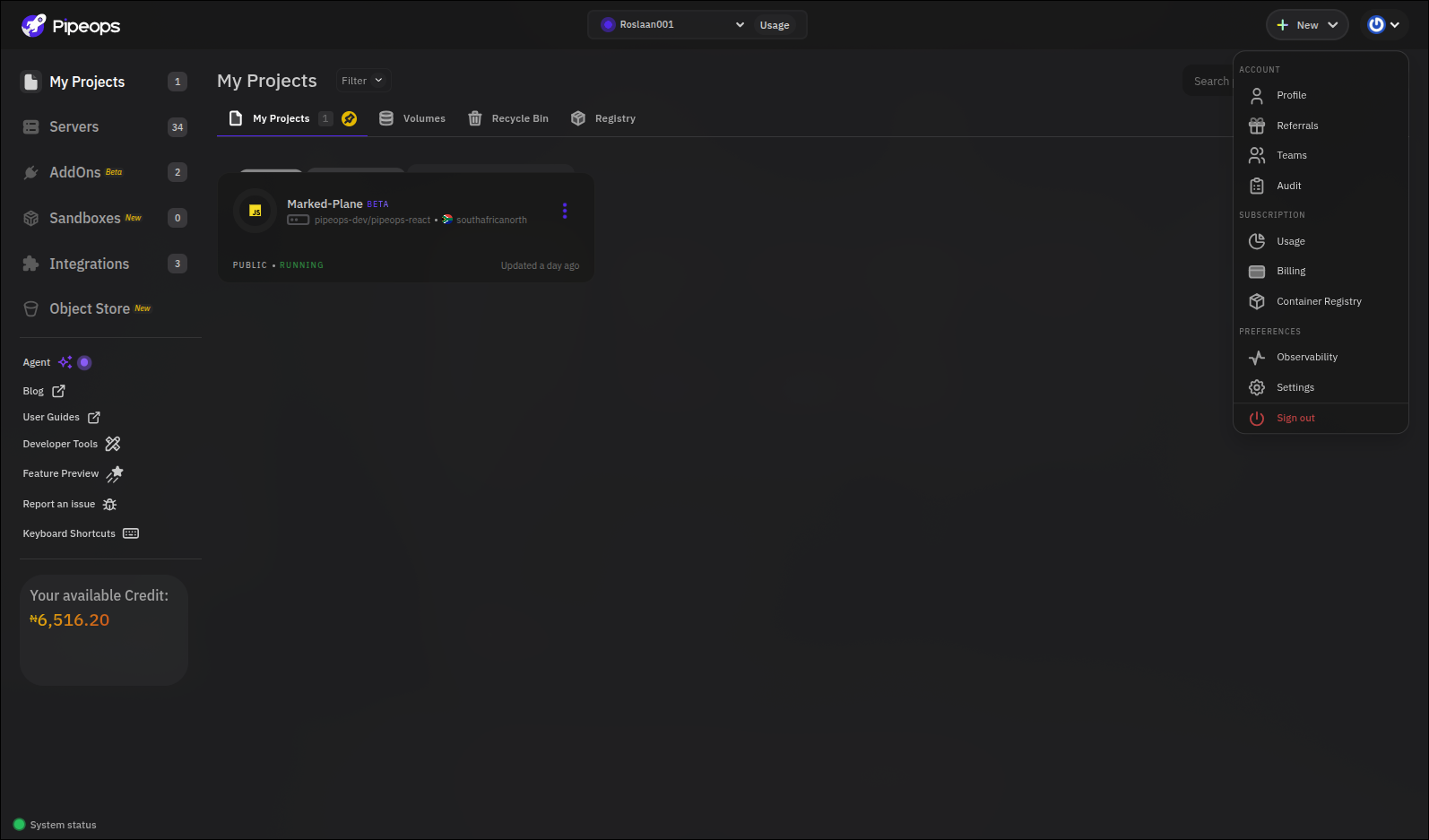
PipeOps replaces the multi-tool headache with one fluid, integrated workflow where deployment history, infrastructure metrics, and runtime logs exist in the exact same workspace.
Inside PipeOps Observability Boards
Rather than treating deployment, metric tracking, and log management as separate tools, PipeOps connects them into a single production lifecycle. Instead of jumping across tabs, your entire operational state is visible in one place.
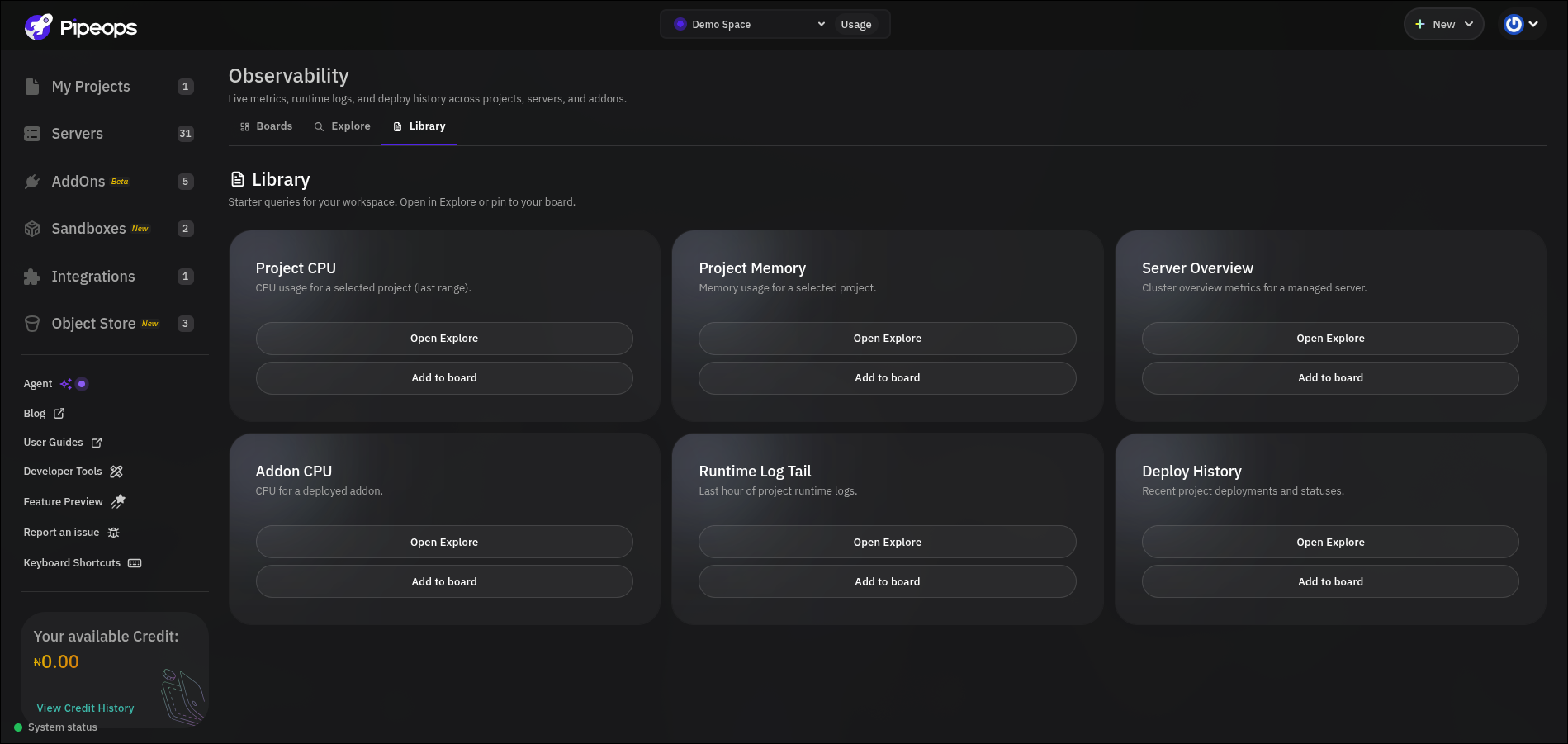
1. Out-of-the-Box Metrics with the Library
Setting up monitoring shouldn't require writing complex PromQL queries or building JSON dashboard templates from scratch.
PipeOps includes a pre-built Library featuring starter queries designed for every operational layer:
- Project CPU & Memory: View real-time resource utilization for individual project containers.
- Server Overview: Monitor node health, cluster load, and underlying host infrastructure.
- Addon Performance: Track memory usage and engine health for databases and managed addons (like Redis or PostgreSQL).
- Runtime Log Tail & Deploy History: Instantly surface live container streams alongside recent deployment events.
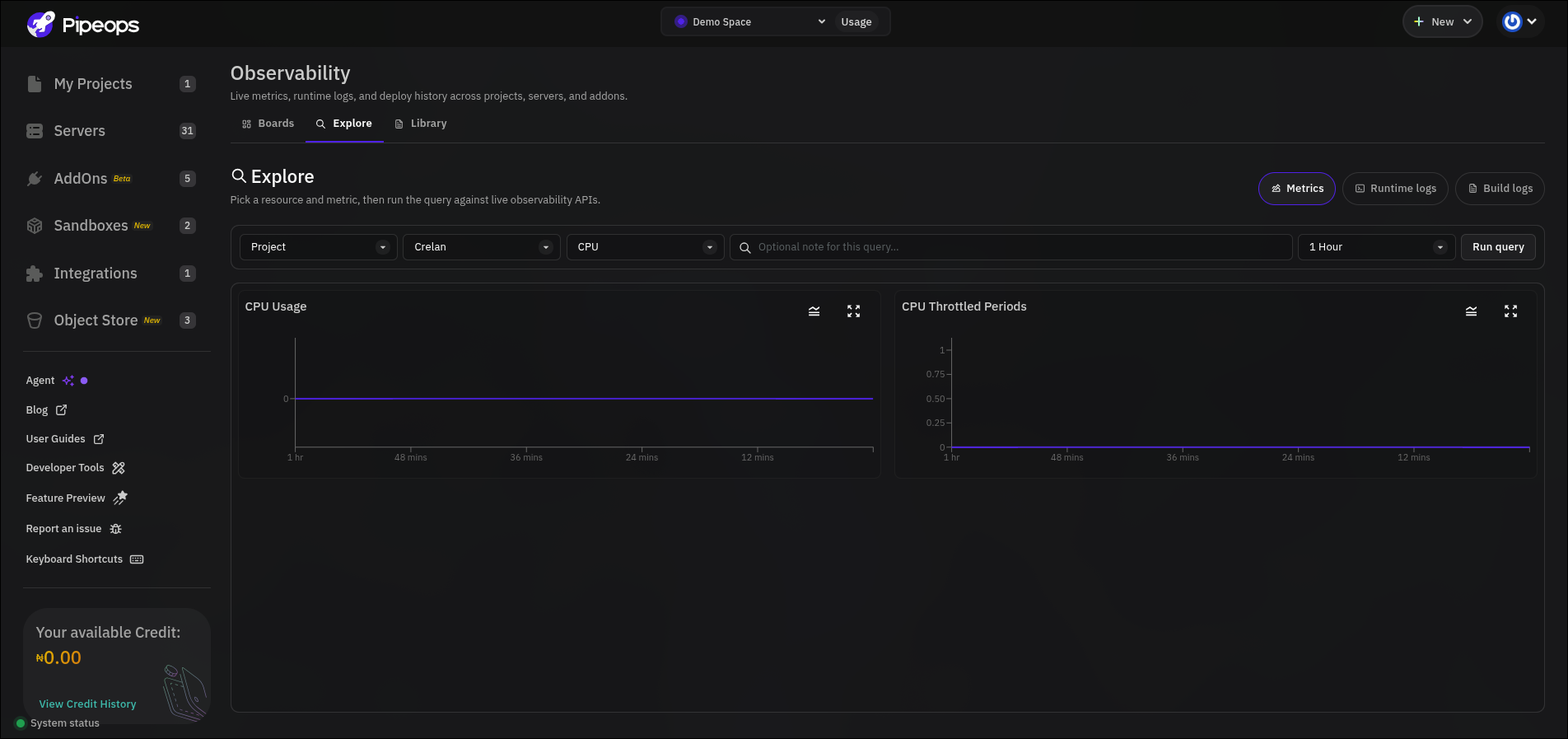
2. Deep-Dive Incident Investigation with Explore
When something goes wrong, you don't need to pivot to a separate logging tool. Moving to the Explore tab allows you to query live observability APIs directly:
- Metrics: Select any project, server, or addon, and immediately run time-windowed queries for memory or CPU trends.
- Runtime Logs: Stream live container logs directly from stdout/stderr to inspect tracebacks and error codes.
- Build Logs: Audit precise commit SHAs, build dates, and deployment statuses to verify if a breaking change was introduced during the last release.
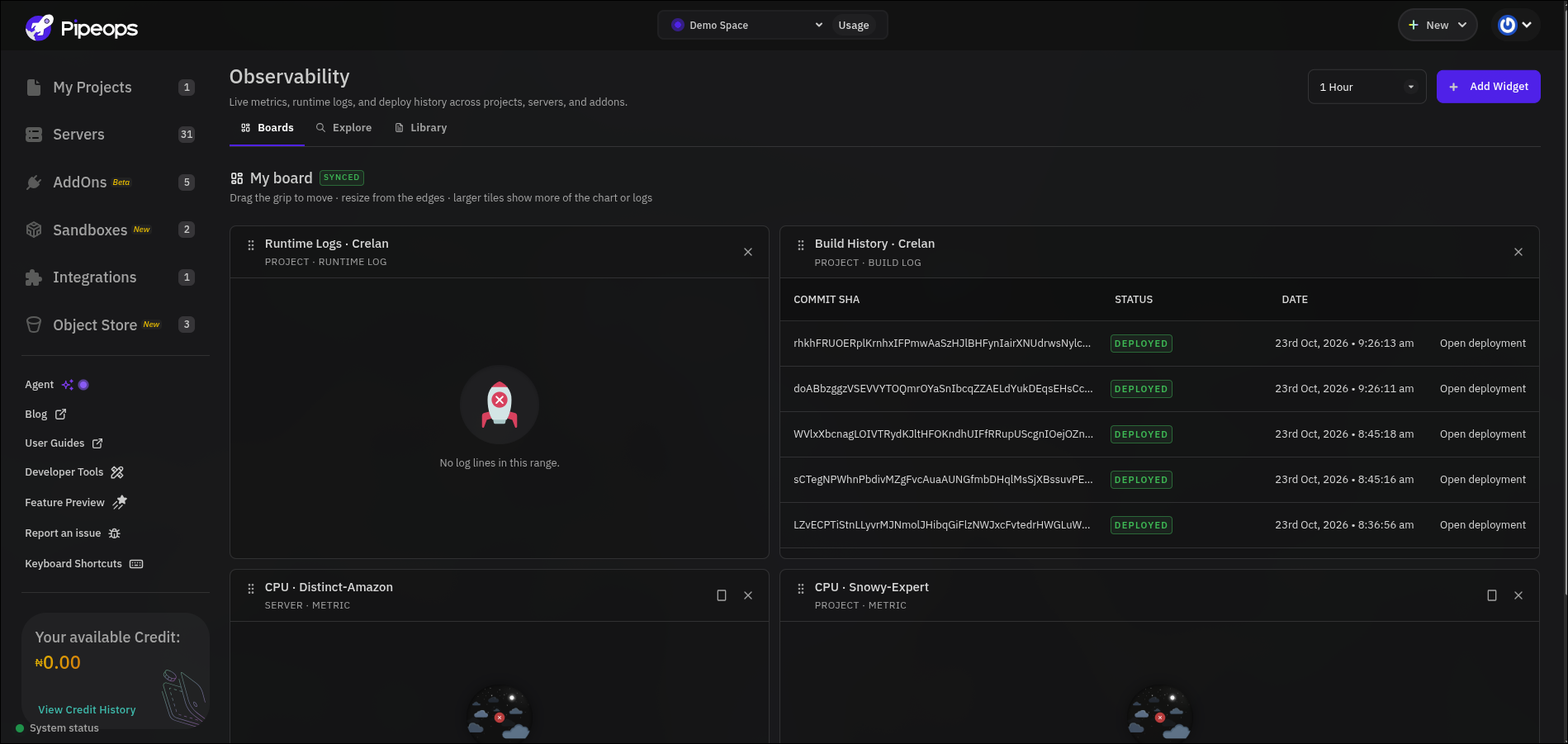
3.Custom Incident Command Center with Boards
Once you isolate the metrics or log tails critical to your service's health, click Add to Board or head to the Boards tab.
PipeOps gives you a flexible layout where you can drag, resize, and position live tiles side-by-side:
- Position Build History right beside Runtime Logs to instantly correlate new code pushes with runtime output.
- Place CPU and Memory charts alongside log streams to monitor system load during spike events.
- Customize widget time windows (e.g., last 6 hours, 24 hours, or real-time) to fit your operational focus.
Why PipeOps Belongs at the Center of Your Production Stack
PipeOps isn't just a platform to push code and walk away, it's where your production environment lives, breathes, and scales. By unifying continuous integration, server management, infrastructure metrics, and log aggregation under one platform, PipeOps delivers clear advantages for growing teams:
- Zero Third-Party Observability Bills: Eliminate per-host agent costs, per-gigabyte log ingestion fees, and separate seat licenses for monitoring software.
- Zero Context Switching: Deploy code, inspect server metrics, and debug runtime exceptions in the exact same interface without leaving your browser tab.
- Zero Infrastructure Overhead: Stop maintaining separate monitoring nodes, configuring log shippers, or updating outdated Grafana plugins.
Instead of spending time configuring tools to watch your code, use a platform designed to run it seamlessly. With PipeOps Observability Boards, you get complete, production-grade visibility into your services from day one—no extra tools, plugins, or third-party subscriptions required.
Ready to get started? Sign up at pipeops.io, deploy your projects, delete or update and see the Observability board showing every details